Taskly
A TypeScript productivity project for task organization.
Overview
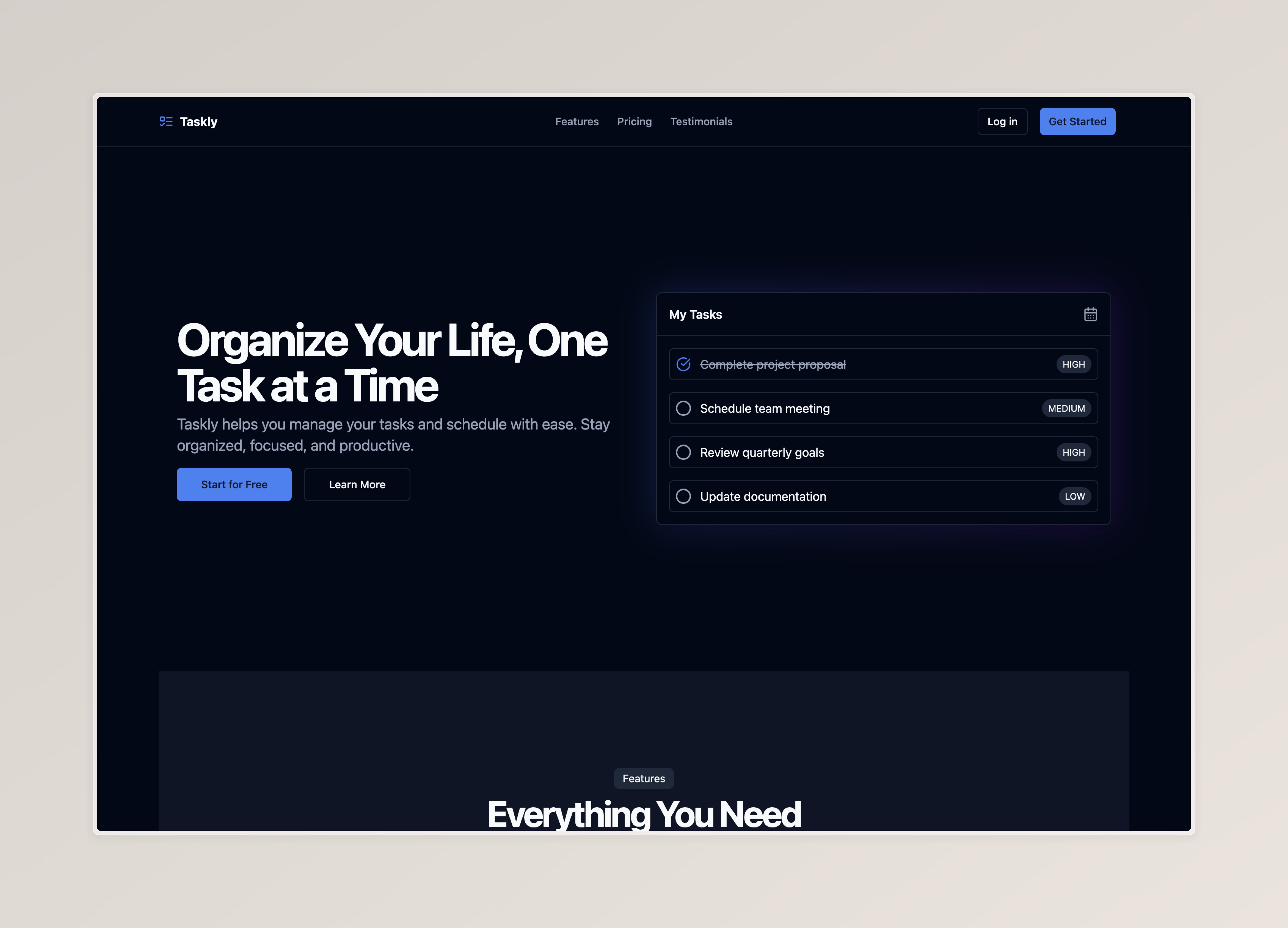
Taskly is a lightweight productivity interface for organizing personal tasks in a clean, responsive layout.
The project focuses on the fundamentals of building a useful task workflow: clear task visibility, simple interaction patterns, and a layout that works without unnecessary visual noise.
Problem
Many task apps become too complex for everyday use. For a small productivity tool, the interface should help users understand what needs attention immediately.
- Tasks should be easy to read at a glance
- Actions should be obvious and low-friction
- The layout should work on both desktop and mobile
- The UI should avoid distracting decoration
Solution
Taskly keeps the product surface small and focused. The interface uses straightforward task grouping and a clean visual rhythm so users can quickly add, review, and manage work.
The project is intentionally scoped as a frontend productivity build, making it useful for practicing state, component structure, and responsive UI behavior.
Architecture
Application Layer
- React component structure
- TypeScript for safer task data handling
- UI state organized around task interactions
Interface Layer
- Responsive layout
- Compact task cards
- Simple visual hierarchy for task content and actions
Key Features
Task Organization
Provides a focused structure for viewing and managing tasks without overwhelming the user.
Productivity UI
Uses spacing, typography, and simple states to make the workflow feel fast and readable.
Responsive Layout
Adapts to smaller screens so the task list remains comfortable to use on mobile.
Challenges
Keeping Scope Small
The project works best when it stays focused on the core task workflow instead of trying to become a full project management system.
State Clarity
Task interfaces depend on predictable UI state, so component logic needs to stay easy to follow.
Mobile Usability
The layout had to stay readable and tappable without making each task too large.
Lessons Learned
- Building small productivity workflows with React
- Keeping UI state understandable
- Designing compact responsive layouts
- Using TypeScript to make simple app data safer
Future Improvements
- Add persistent storage
- Add priority and due date filters
- Add drag-and-drop task ordering
- Add keyboard shortcuts
- Add authentication for synced tasks